Products
Login
Submit a request
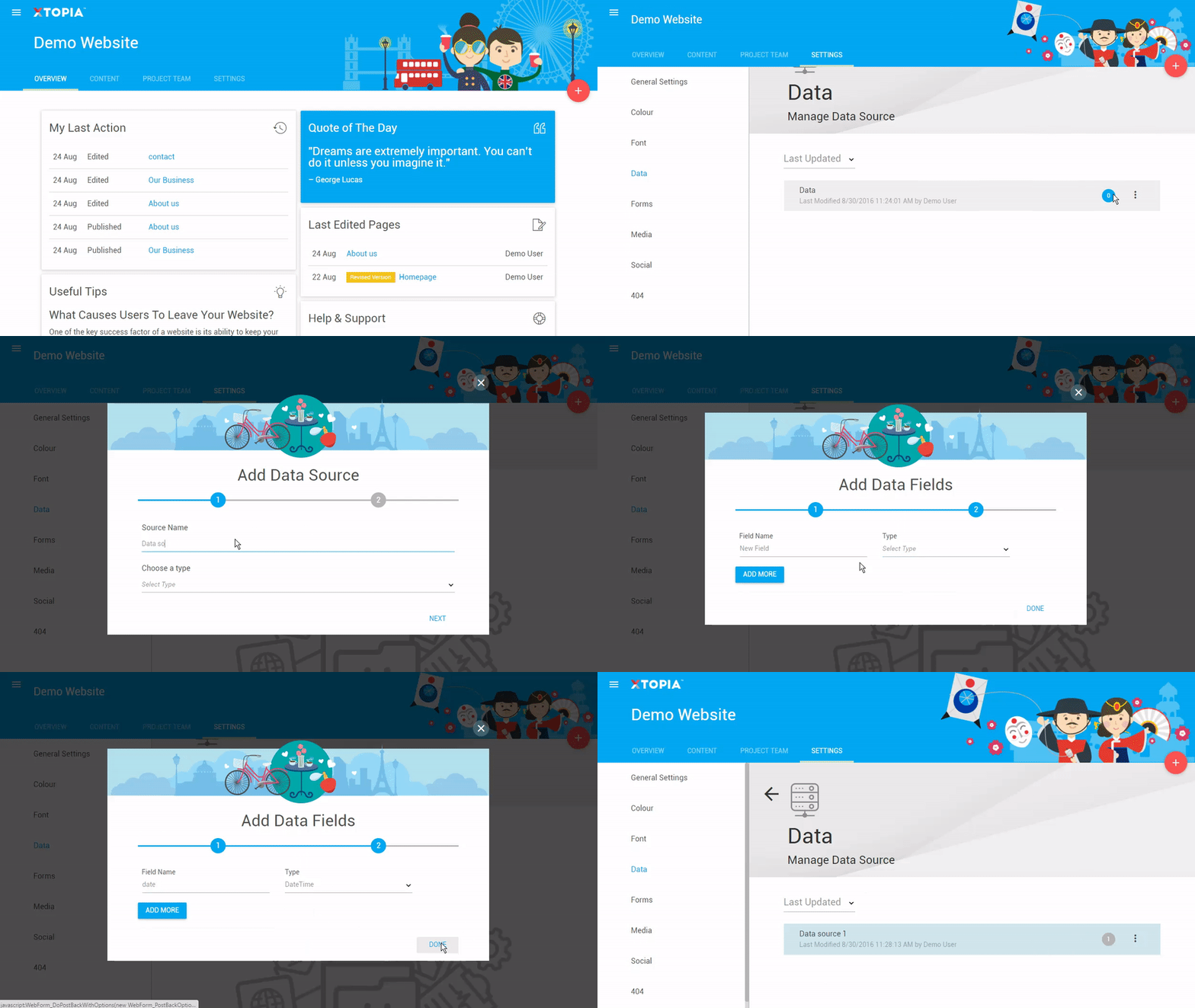
Add New Data Source
OVERVIEW
SUMMARY
STEP BY STEP
Note: For external source of data, please choose “API” for Data Source Type to run through the setup process.
Related articles
let us help you
Subscribe and get the latest news on XYAN.
Subscribe
Got it
Account & Profile
Subscription & Billing
Projects
Reports
Troubleshooting & FAQs
XTOPIA AI Assistant
XTOPIA e-shop
XTOPIA Customer Experience
XTOPIA Smart Search
XTOPIA AI Form Builder
XTOPIA Content Composer
XTOPIA Content Summariser