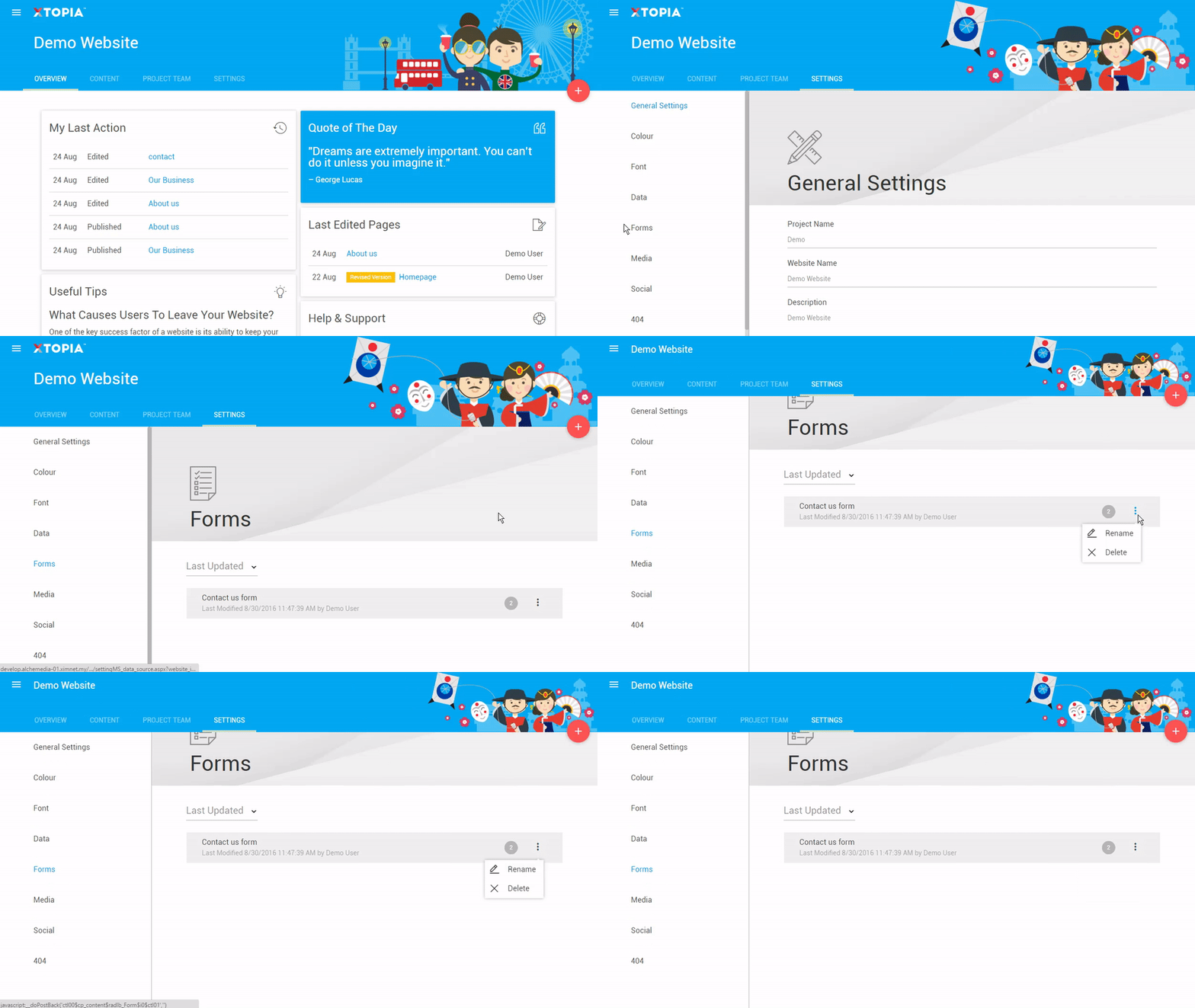
Forms are important for a website. It helps you to understand your users need so that you can serve them effectively. Manage your forms through the steps below:
STEP BY STEP
Choose your project (this step is only available for users with multiple projects).
Click on “Settings” on the dashboard.
Select “Forms” on the left panel.
Hover on the eclipse icon to manage Rename or Delete the form.